Boost Your Workflow With the New Exosphere Update
The Exosphere Update (Beta) is designed to make your daily operations smarter and faster. With real-time data at your fingertips, you can make better decisions—especially when it comes to energy management. Optimized performance means you’ll spend less time searching, navigating, and analyzing, and more time focusing on what really matters: efficiency and results.
Exosphere Update: All Details in the Video
New Analysis Module
Usability Features
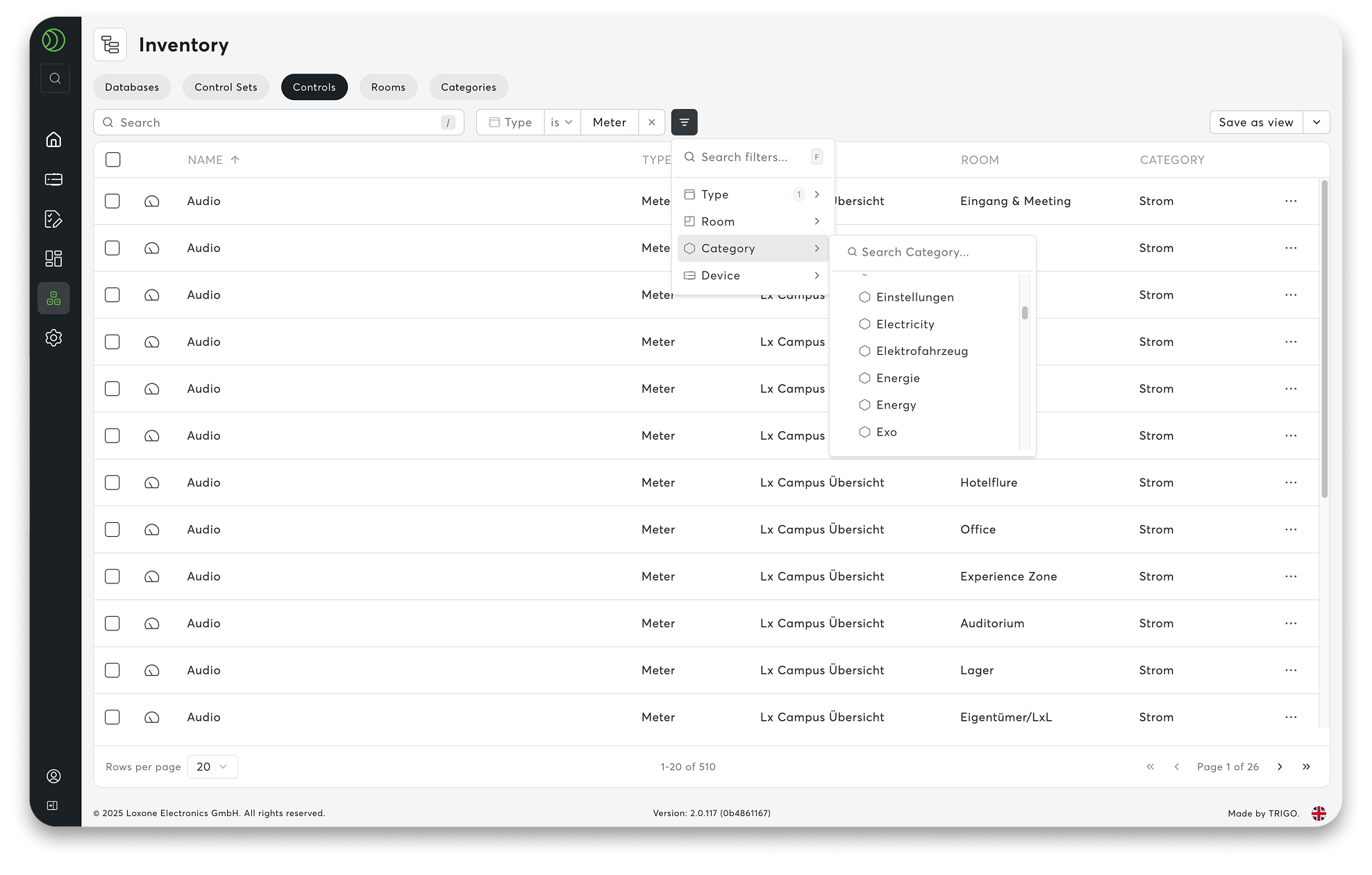
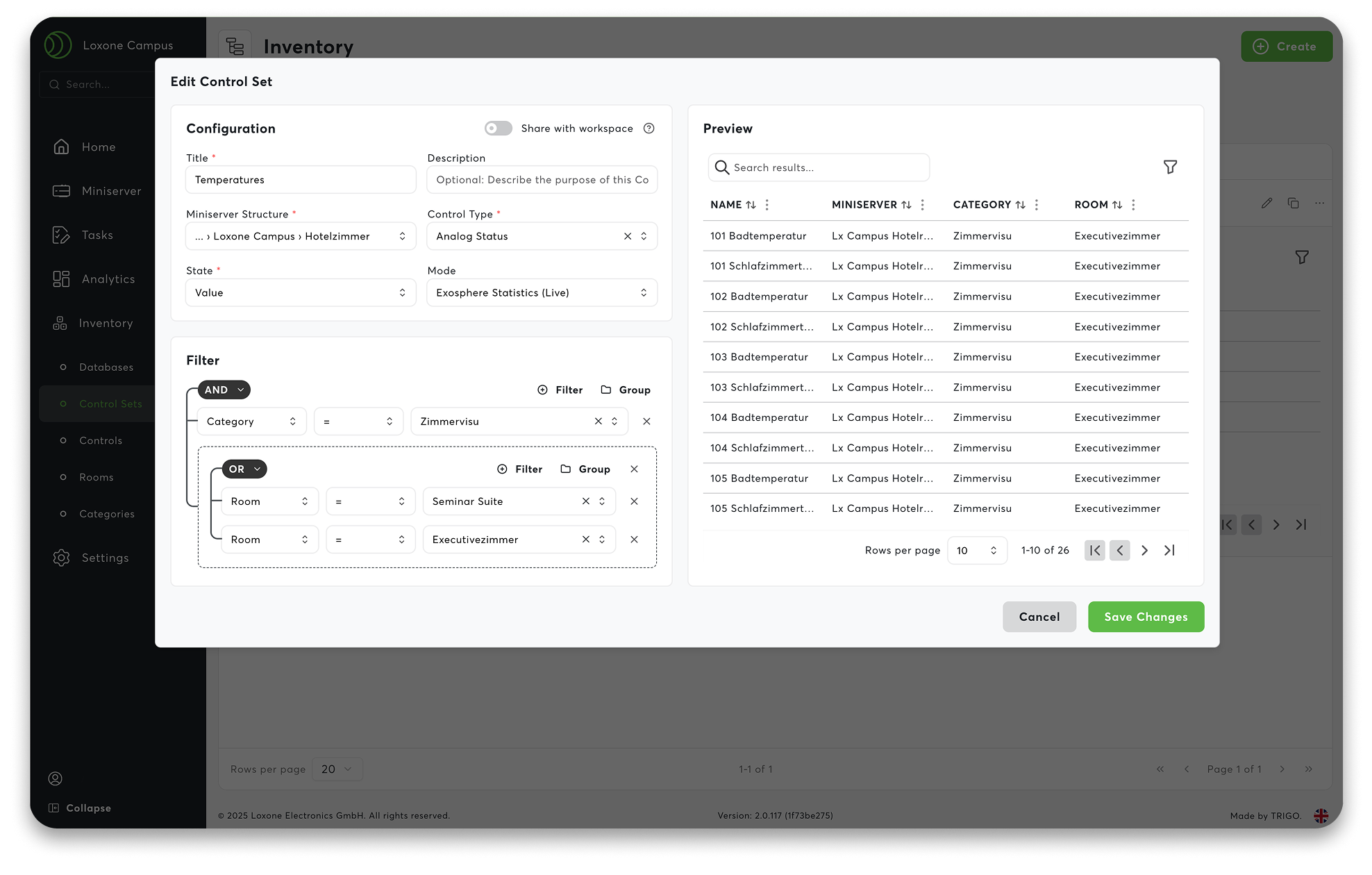
01 Control Sets – Dynamic Data Filters
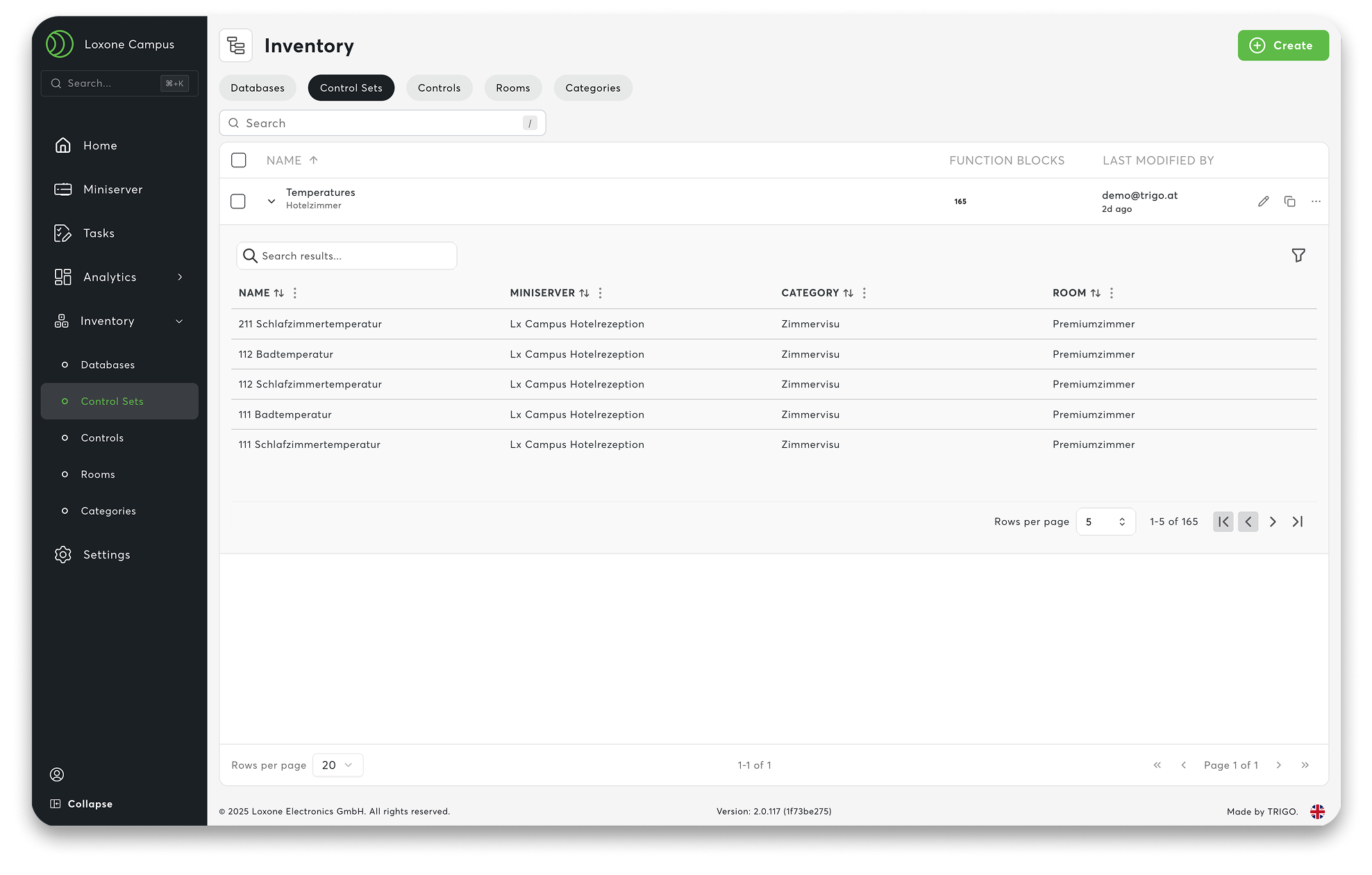
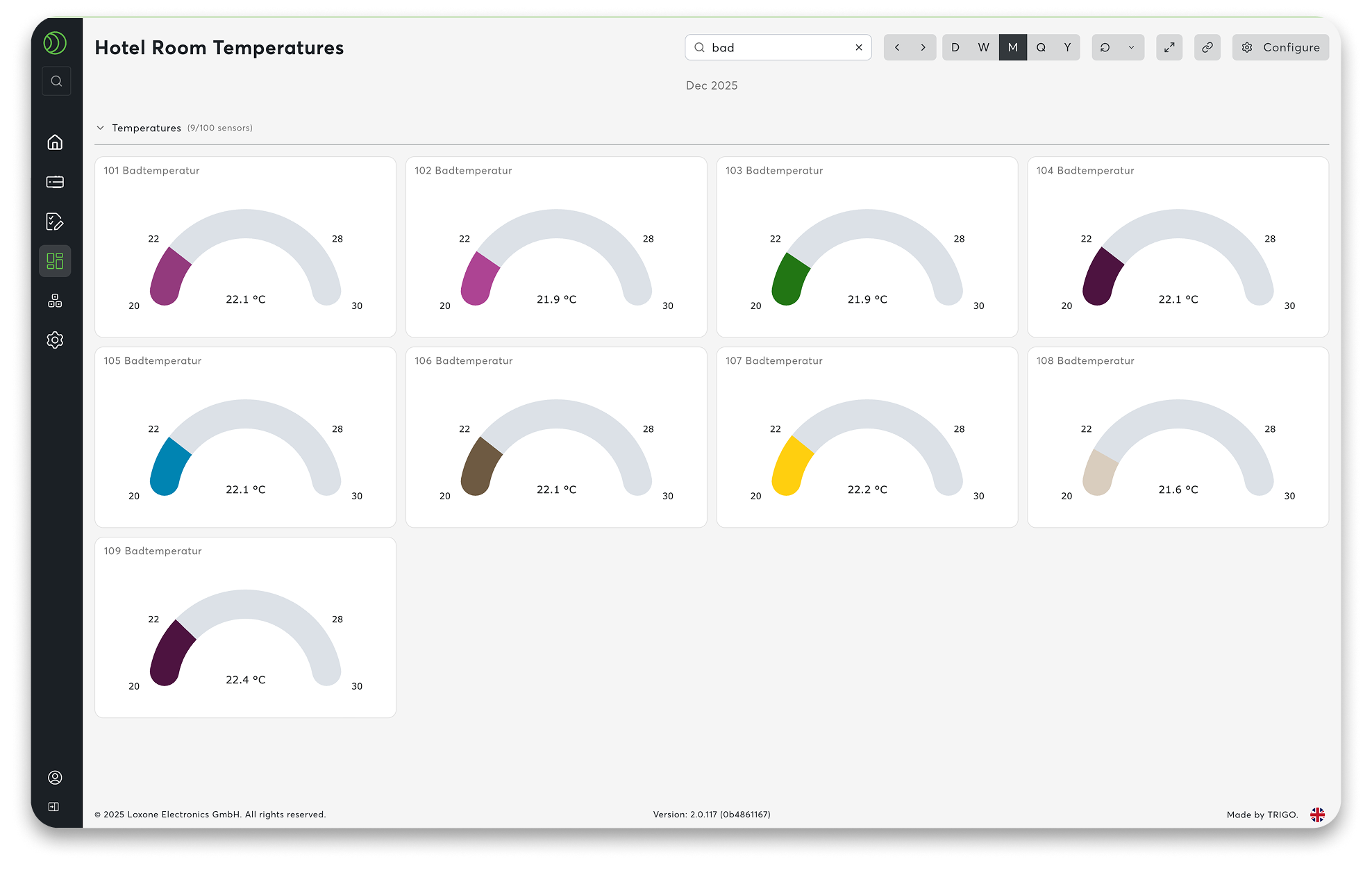
Big projects are always evolving—new team members, new locations, or even meter replacements. With Exosphere’s control sets, your data filters stay dynamic and automatically adjust without extra effort. This makes the system highly scalable, no matter how many data points you’re working with.
Control sets keep your workspace organized and stress-free. Instead of manually updating data, you rely on smart filters that automatically recognize which devices and information matter to each user, based on their access rights. You set the logic once, and Exosphere takes care of the rest in the background.
One filter. One system. Everything adapts seamlessly.
02 New Diagram and Charting System
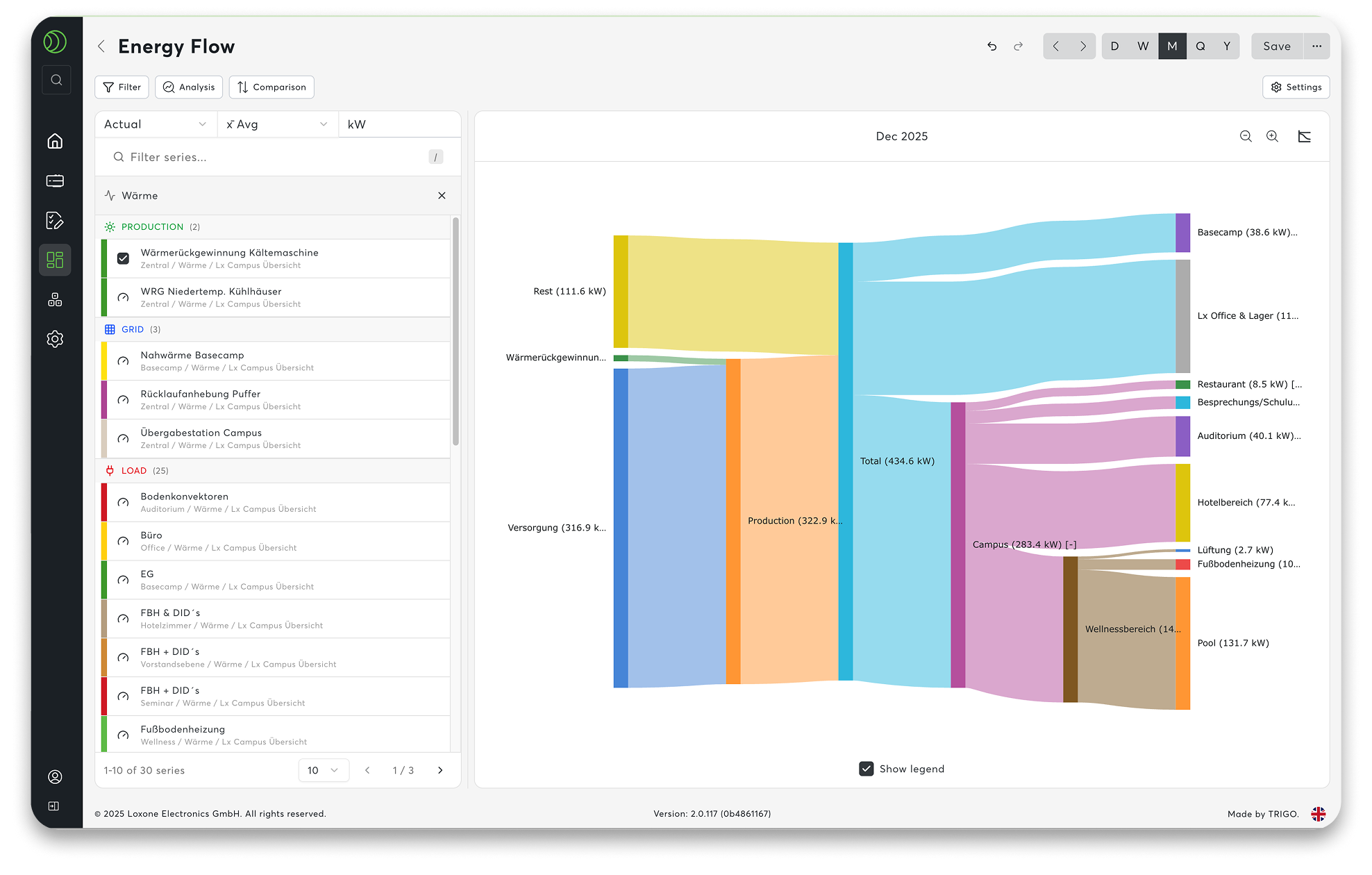
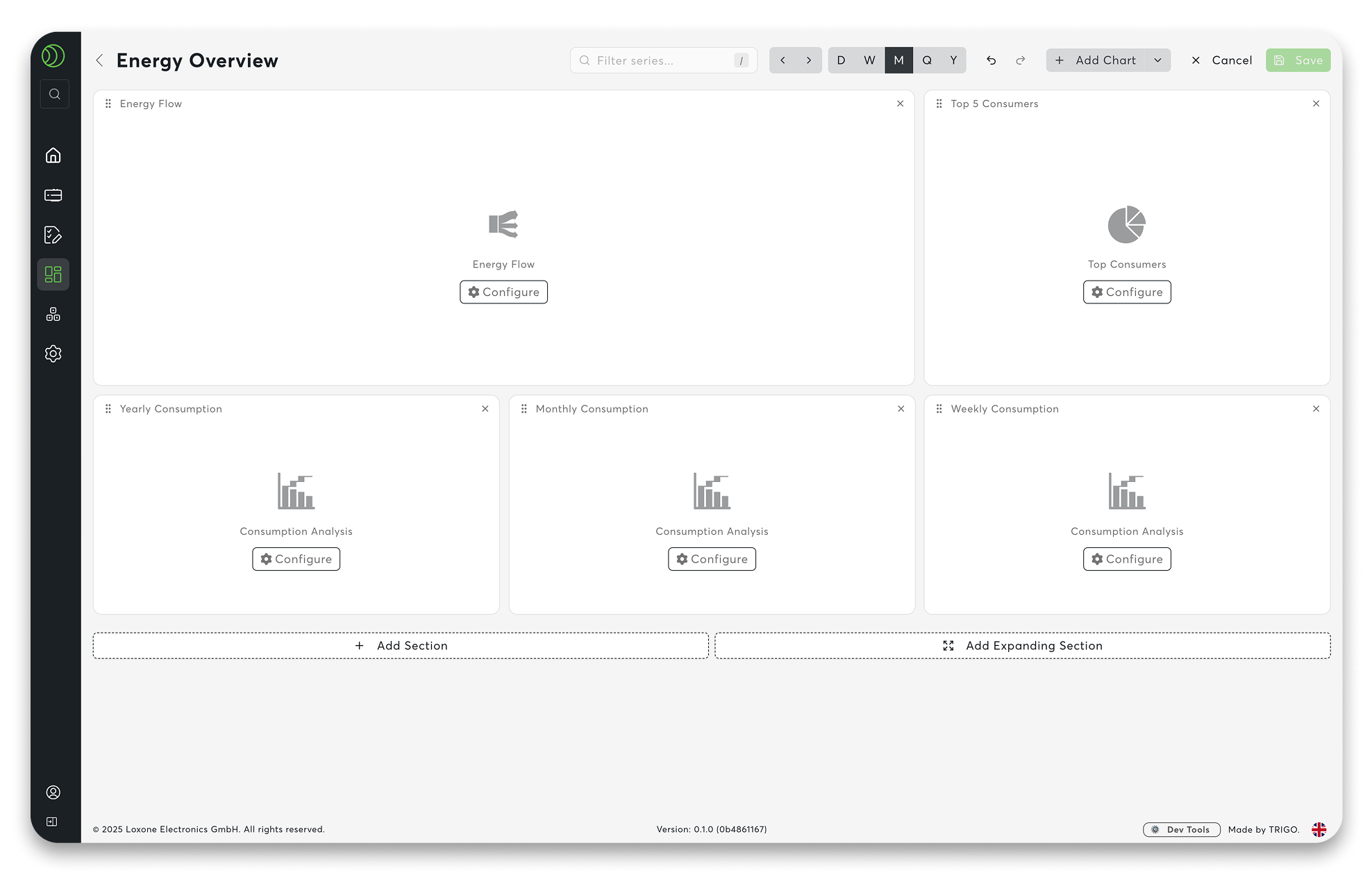
Collecting data is easy—making sense of it is what really matters. With Exosphere’s new diagram and charting system, energy monitoring across multiple locations becomes clear and transparent. The built-in diagram library makes it simple to visualize your data without starting from scratch.
Choose from ready-made templates like Energy Flow, Top Consumers, or Consumption Analysis. Just select a module, insert it, and your chart is instantly responsive—even with large amounts of data. Zoom in, compare, and spot correlations effortlessly.
And thanks to control sets, your charts stay automatically up to date. Add new devices, and the evaluations grow with them—no manual work required.
At a glance, you can see:
- Top lists: Where electricity or water is consumed most.
- Benchmarking: Direct comparisons between different locations.
- Target vs. actual: Reference lines highlight deviations instantly.
- Intuitive zoom: Navigate freely through large datasets.
With Exosphere, numbers aren’t just data—they become real decision-making tools
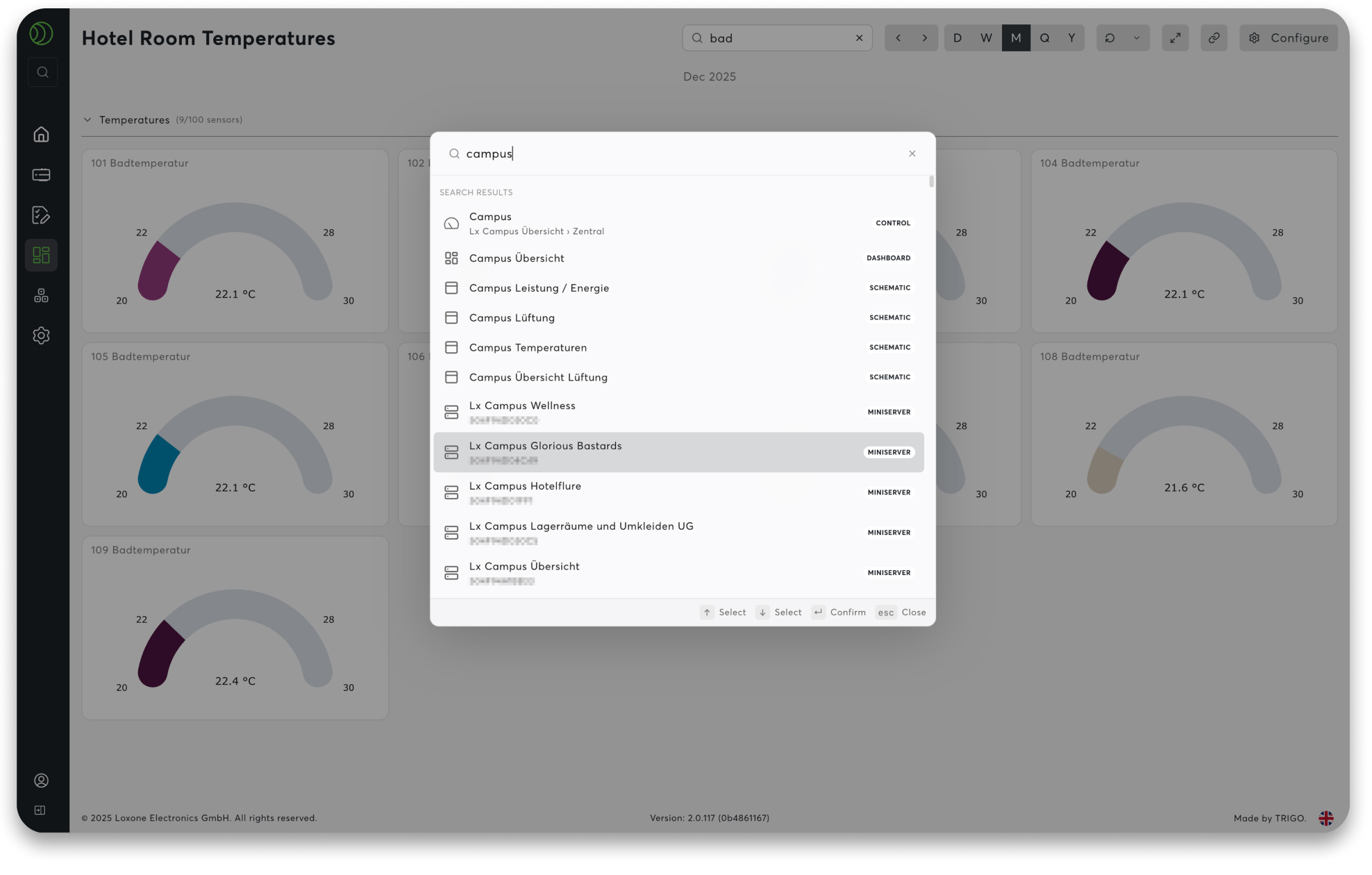
03 Command Palette
Sometimes you just want to get things done fast—and that’s exactly what the Command Palette is for. With a simple shortcut (CTRL + K on Windows or CMD + K on Mac), you open a central command center that takes you straight to what you need.
Type in a dashboard, a counter, or a setting, and you’re there instantly—no endless menu clicks. The search even remembers your frequent actions, so everyday tasks become effortless.
Everyday advantages:
- Access everything in your workspace directly from the keyboard
- Quick navigation to dashboards, devices, charts, and workflows
- Fewer clicks, more focus
A smooth, intuitive way to work
04 Tagging & Filter System
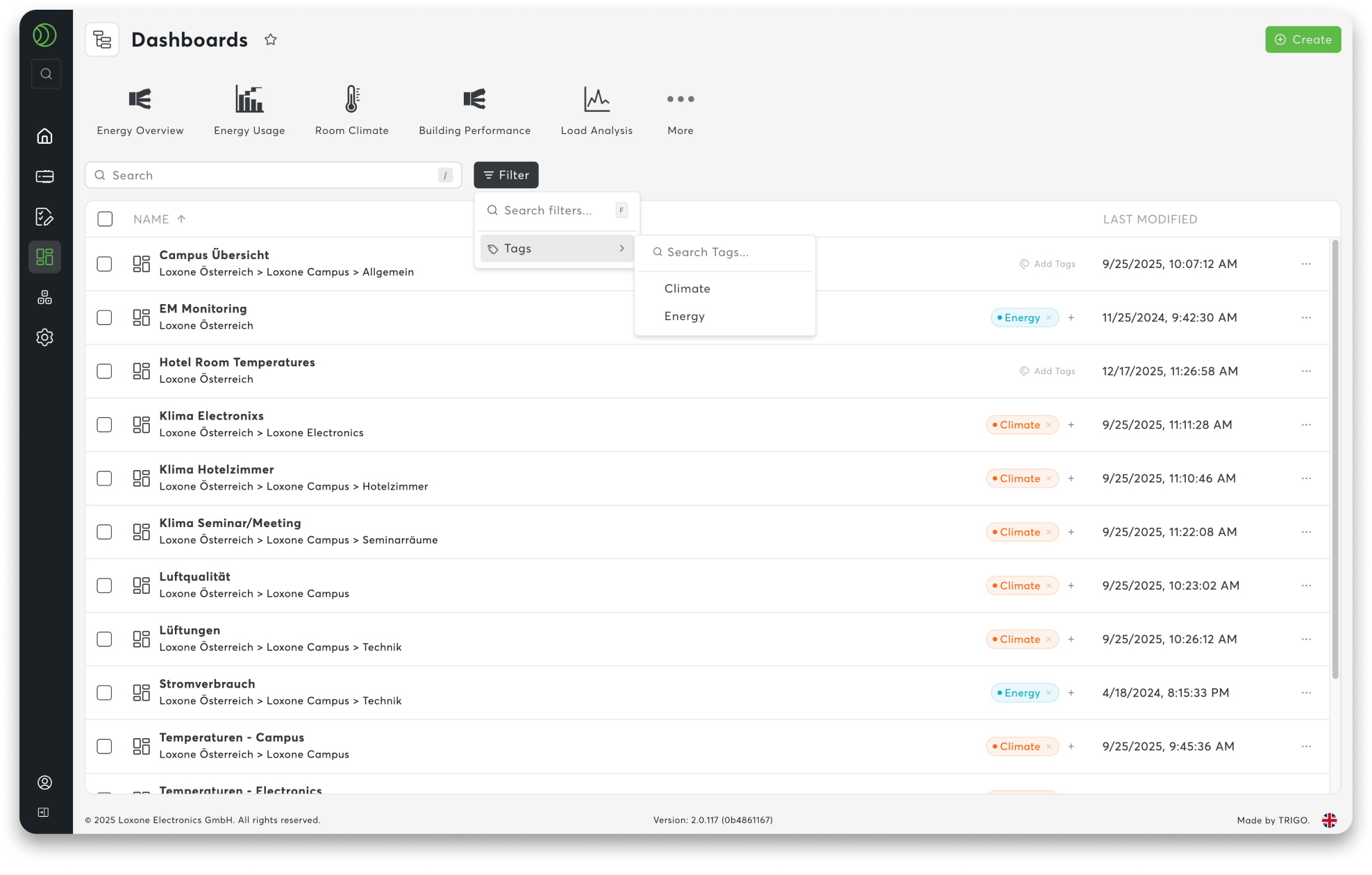
As projects expand, staying organized becomes more important than ever. With Exosphere’s tagging and filter system, you can structure your workspace in a way that makes sense to you—not by rigid names, but by meaningful topics.
Assign keywords like energy, heating, or monitoring to your content and create connections that fit your workflow. Combined with persistent filters, this makes finding what you need faster and easier—even in large, complex projects.
How it helps you every day:
- Structure: Organize content with your own tags.
- Filter: Search by topic instead of name.
- Find: Tags work seamlessly with the Command Palette.
Your organization. Your overview. And a system that grows with you.