Home  /  Spaces  /  Commercial
COMMERCIAL BUILDING AUTOMATION

Built for how
offices actually run.

Consistent comfort, lower operating costs, and a single dashboard for facilities that would otherwise mean a dozen separate systems. Engineered for the realities of a working office, not a showroom.
PART OF THE BIGGER PICTURE

A different set of
priorities entirely.

A home is about atmosphere. An office is about consistency, cost control, and reliability at scale — across dozens of rooms, multiple floors, and a facilities team who needs visibility without complexity. Grapes commercial installations are specified around those priorities from day one, not adapted from a residential template.
WHY GRAPES FOR BUSINESS

What changes when a
building thinks for itself.

01

Lower operating costs

Occupancy-based lighting and climate eliminate the waste of cooling and lighting empty rooms — a direct, measurable line item.
02

One system, every floor

A coordinated Loxone architecture connects floors and buildings through a considered control strategy.
03

Facilities team visibility

Consumption, access, and system status all visible from one app — no separate logins for separate vendors.
04

Local intelligence

Core building logic runs locally. Access records, remote connectivity and external integrations are considered in the system design.
PROJECT DOCUMENTATION

A closer look, to follow.

Explore WORQ, a Grapes commercial project featured by Loxone.
[REPLACE] Approved client testimonial.
WHAT WE INSTALL

The systems businesses
rely on most.

Every Grapes service is available for commercial deployment, specified to the scale of your space.
01
Occupancy and daylight-based control across open-plan floors — consistent, glare-free, and efficient by default.
02
Stable temperatures across large floor plates without competing thermostats or manual override chaos.
03
Access control tied to staff schedules and building hours — visible in a single, cloud-free app.
04
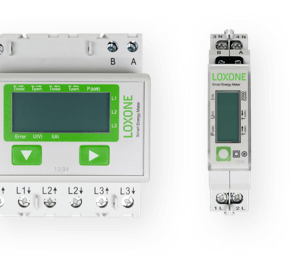
Real-time consumption data that turns an abstract utility bill into an actionable facilities conversation.
05
Automated blinds that reduce cooling load and glare across glass-heavy commercial facades.
06
Loxone Tree and Air — how our wired and wireless systems scale reliably across an entire building.
THE OPERATIONAL CASE

A clear operational case.

Every Grapes commercial installation is scoped with a clear operational outcome in mind — fewer wasted kilowatts, less manual facility management, and a system your team can actually maintain without a specialist on call.

We work directly with your facilities manager or MEP consultant to make sure the system integrates cleanly into how the building already operates.

THE DETAILS THAT MATTER

Built to scale with
your business.

01

Multi-Floor Architecture

One Miniserver network scales cleanly from a single office to a multi-storey building.
02

Occupancy Intelligence

Lighting and climate respond to real usage patterns, not fixed schedules.
03

Staff Access Management

Access permissions tied to roles and schedules, fully auditable, no cloud exposure.
04

MEP-Friendly Integration

Works alongside existing building management systems rather than replacing them outright.
05

Reduced Downtime

Local processing means core building functions never depend on an internet connection.
06

Facility-Wide Reporting

Consumption and access data available for review, audit, or ESG reporting purposes.
07

Phased Rollout Ready

Deploy floor by floor or department by department without redesigning the system each time.
08

Dedicated Aftercare

A single point of contact for support, long after handover — not a ticketing queue.
ACROSS BUILDINGS

Local control. A wider view.

A larger property can be planned around several Miniservers, with the control strategy and network designed for the site.
For central oversight, Loxone offers Exosphere: an optional cloud platform for dashboards, data analysis and management across installations. Its cloud backups and licensed features are separate from the building’s local automation.

Technology notes: Miniserver ↗ · Exosphere ↗

MULTI-SITE PLANNING

One system, across locations.

Plan the local controls and wider operational view around each building’s requirements.
The system architecture, user permissions and connection requirements are defined for the project before a shared view is configured.
BEFORE YOU DECIDE

Commercial, answered.

Can this integrate with our existing BMS or facilities software?

In many cases, yes. We assess your existing building management setup during consultation and specify integration points accordingly, rather than requiring a full replacement

Can we roll this out floor by floor instead of all at once?

Yes. The Miniserver architecture is designed to scale incrementally — many clients begin with one floor or department and expand over time.

Who manages the system day-to-day after installation?

Your facilities team, typically — the interface is designed for non-specialists. We also provide direct aftercare support for anything beyond routine use.

Is our data secure, given it's a shared commercial building?

Core automation is processed on your local Miniserver. Remote access, permissions and any external software integrations are assessed alongside the building network.

How disruptive is installation to a working office?

We plan installation around your operating hours wherever possible, and wireless Air-based components minimise the need for disruptive wiring work in occupied areas.

Is there an ongoing subscription cost?

Core local automation has no mandatory recurring licence fee. Optional online services, connected software and agreed support are scoped separately.
THE COMPLETE ECOSYSTEM

Consider the connections.

THE NEXT SPACE STARTS HERE

Let’s talk about your facility.

Whether it’s a single office floor or a full commercial building, we’ll help you scope a system built around how your business actually operates.
Once you send your enquiry, we’ll respond within 24 hours with next steps for your consultation.
Prepare your enquiry, then review and send it in WhatsApp. Fields marked * are required.